Build Gamified Learning Quests Without Coding
Programs get delivered as a list of modules with due dates. Nothing about that format gives a learner a reason to do module three before the deadline reminder arrives.
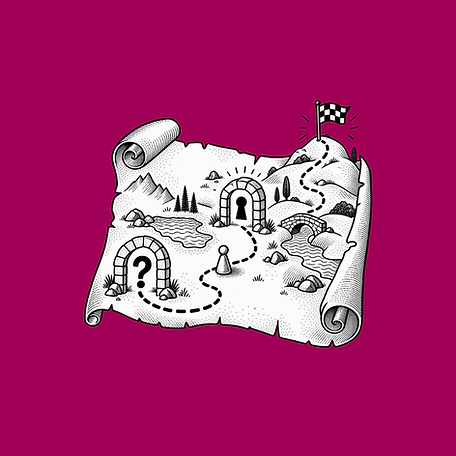
Quest Path turns the program into a sequence worth continuing. You set the tasks and what unlocks next, then export a single HTML file you embed in Articulate Rise, Storyline, Captivate, Canvas, Moodle, or any LMS that accepts HTML.
Use it for onboarding programs, certification tracks, and multi-week initiatives, where completion depends on momentum rather than compliance emails.
Build Gamified Learning Quests Without Coding
How To Use the Generators
Each tool in the eLearningDesign.org ecosystem follows a streamlined, three-step workflow designed to keep you focused on instructional strategy while we handle the technical execution.
Input Your Content: Open the Content tab to add your specific learning prompts, interactive options, and coaching feedback. This is where you build the logic and instructional heart of your activity.
Customize Your Design: Switch to the Design tab to align the tool with your course aesthetic. You can manually adjust colors, typography, and layout structures to ensure a seamless visual fit.
Generate and Embed: Go to the Generate tab to finalize your tool. Click "Copy Embed Code" for your authoring tool's HTML block, or "Download as HTML" for local hosting and offline use.
Common Use Cases
Onboarding Programs: Give new hires a route with visible progress and unlocks.
Certification Tracks: Sequence requirements so each one earns the next.
Multi-Week Initiatives: Keep a long program moving without chasing people weekly.
Technical Specifications
Visual Interface for Code: Set your tasks and unlock rules while the generator handles the progression and path display.
Fixed-Frame Optimization: Built to hold its layout inside iframes and web objects in Rise 360 and Storyline.
WCAG Friendly: Includes keyboard navigation support so the activity stays accessible.
Brand-Consistent Palette: Fully customizable colors and fonts so the tool matches any corporate, educational, or organizational identity.